Fastify rate limiting: what @fastify/rate-limit doesn't do for you
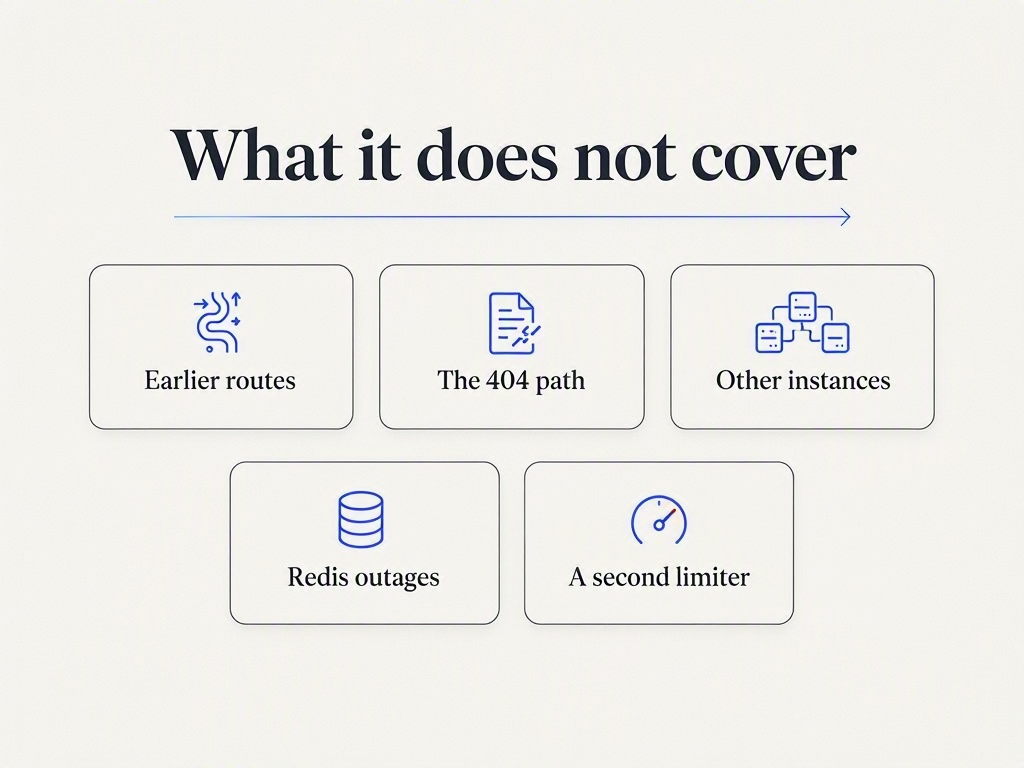
The plugin works in five lines, then quietly skips your earlier routes, your 404s, your other instances, and your second limiter. Five gaps, measured on Fastify 5.11.3.

Sorower
Co-founder

In this article
- The setup everybody ships
- Gap 1: it only guards routes registered after it
- Gap 2: the default bucket charges the wrong customer
- Do not shortcut to the raw header
- Gap 3: one process, one counter
- Gap 4: when Redis dies, your API dies with it
- Gap 5: your second limiter is silently a no-op
- What none of this fixes
- Where a managed key layer fits
- Key takeaways
Fastify rate limiting looks finished after five lines. You register @fastify/rate-limit, set max and timeWindow, watch a 429 come back in curl, and move the ticket to done. The plugin is genuinely good, it is maintained by the Fastify org, and the docs are honest about what the options mean.
Then you read the options list a second time and notice how many defaults are quietly not what you assumed. So I registered the plugin on Fastify 5.11.3 with @fastify/rate-limit 11.2.0 on Node 26 and probed it: five requests per route, three processes behind one client, a real Redis I could kill mid-run. Below is what I measured, including five things the plugin does not do for you and nobody writes down.
The setup everybody ships
Here is the baseline. Nothing wrong with it.
import Fastify from 'fastify'
import rateLimit from '@fastify/rate-limit'

const app = Fastify({ trustProxy: true })

await app.register(rateLimit, {
  global: true,
  max: 2,
  timeWindow: '1 minute',
})

app.get('/v1/things', async () => ({ ok: 1 }))
await app.listen({ port: 3000 })
Two requests pass, the third gets refused. The refusal is well built:
HTTP/1.1 429 Too Many Requests
x-ratelimit-limit: 2
x-ratelimit-remaining: 0
x-ratelimit-reset: 60
retry-after: 60

{"statusCode":429,"error":"Too Many Requests",
 "message":"Rate limit exceeded, retry in 1 minute"}
Two details worth confirming rather than assuming, because both are places other libraries get it wrong. First, retry-after is in seconds and it counts down against the real window. I waited and re-probed: 60, then 57 after three seconds idle, then 54 after six. A client that sleeps for the advertised value comes back at the right moment instead of hammering early.
Second, x-ratelimit-reset is seconds remaining, not a Unix timestamp. GitHub publishes its equivalent header as an epoch second, so a client written against that convention reads 60 as a moment in January 1970, concludes the window reset long ago, and retries straight away in a hot loop. Same header name, opposite meaning, and the failure mode is a client that never backs off. If you have public consumers, document which one you send.
There is an enableDraftSpec: true option, and it does less than the name suggests. It swaps the x- prefixed trio for ratelimit-limit, ratelimit-remaining and ratelimit-reset. That was the shape of the early IETF drafts. The current revision, draft-ietf-httpapi-ratelimit-headers-11 from May 2026, specifies two structured fields instead: RateLimit: "default";r=50;t=30 and a separate RateLimit-Policy. So enableDraftSpec gets you an older draft, not the current one. If that distinction matters to your clients, we pulled it apart in your 429 response is probably wrong.
If you want the standard walkthrough of the basics in video form before the sharp edges, this one covers the setup honestly:

Now the parts that bite.
Gap 1: it only guards routes registered after it
global: true reads like "every route in this app." It means every route the plugin sees, and the plugin sees routes through an onRoute hook. Hooks only fire for things registered after them. So a route declared above your await app.register(rateLimit, …) line is not rate limited, and never will be, and nothing warns you.
I built one app with routes on both sides of the registration and sent five requests to each from a distinct client address so the buckets stayed independent. max was 2.
| Route | Declared | 5 requests |
|---|---|---|
/early | before register() | 200, 200, 200, 200, 200 |
/before-plugin/route | in a plugin registered before | 200, 200, 200, 200, 200 |
/late | after register() | 200, 200, 429, 429, 429 |
/after-plugin/route | in a plugin registered after | 200, 200, 429, 429, 429 |
/nope-1234 | no route, falls to 404 | 404, 404, 404, 404, 404 |
Two unlimited routes and an unlimited 404 path, from an app whose config says global: true. This is the inverse of the trap in Fastify API key authentication, where an auth hook's problem is scope and order is irrelevant. For the limiter, order is everything.
The route fix is boring: register the plugin before you declare routes, and await it. The 404 fix is a real one, because unmatched paths are exactly where somebody probing for /admin, /.env and /api/v1/users spends their afternoon. Fastify's not-found handler is a separate lifecycle and needs its own limiter:
app.setNotFoundHandler({ preHandler: app.rateLimit() }, (req, reply) => {
  reply.code(404).send({ error: 'Not Found' })
})
Same probe, with that handler in place: 404, 404, 429, 429, 429. Cheap insurance against URL enumeration.
Gap 2: the default bucket charges the wrong customer
The default keyGenerator buckets on the client address. For a browser app that is defensible. For an API sold to businesses it is close to useless, because your customers are not people at keyboards, they are servers. Two customers behind one cloud NAT gateway share an egress address, and therefore share a bucket.
Two valid keys, one address, max: 3. Customer alpha spends the budget legitimately. Then customer bravo makes their first request ever:
keyGenerator: default (IP)
  alpha x3            -> 200, 200, 200
  bravo, 1st request  -> 429   x-ratelimit-remaining: 0
  bravo, 2nd request  -> 429

keyGenerator: req => req.consumer
  alpha x3            -> 200, 200, 200
  bravo, 1st request  -> 200   x-ratelimit-remaining: 2
Bravo's very first call to your API is a 429. They will not open a support ticket, they will conclude your API is flaky. Rate limiting by address in a B2B API is not a security control, it is a random tax on whoever shares a NAT with your noisiest customer.
Here Fastify hands you something the other Node frameworks do not. Because the limiter attaches through onRoute, it is a route-level hook, and route-level hooks run after instance-level ones. Your global onRequest auth hook has already resolved the key by the time keyGenerator runs, so this just works:
app.addHook('onRequest', async (req, reply) => {
  const consumer = await lookUpKey(req.headers['x-api-key'])
  if (!consumer) { reply.code(401); throw new Error('invalid key') }
  req.consumer = consumer          // e.g. 'cus_alpha'
})

await app.register(rateLimit, {
  global: true,
  max: 3,
  timeWindow: '1 minute',
  keyGenerator: (req) => req.consumer ?? req.ip,
})
No reordering, no priority list to fight. In Express you have to remember to mount the limiter after auth, and in Laravel the framework actively re-sorts the throttle above your middleware. Fastify gets this one right by accident of design. We measured the same failure across five frameworks in rate limit by API key, not IP.
Do not shortcut to the raw header
The tempting one-liner is keyGenerator: (req) => req.headers['x-api-key']. Skip the lookup, bucket on the key itself. It is wrong twice.
An attacker sends a different invented key on every request and mints a fresh bucket each time, so the limit never binds while your store fills with attacker-chosen entries. And the value goes somewhere you probably have not pictured. I pointed the limiter at Redis, sent four requests with four different keys, then listed what appeared:
$ redis-cli --scan --pattern 'demo-raw-*'
demo-raw-live_alpha_aaa
demo-raw-live_guess_1
demo-raw-live_guess_2
demo-raw-live_guess_3
Whatever your keyGenerator returns becomes a Redis key name, verbatim. Your customers' live API keys end up in KEYS *, in MONITOR output, in the slowlog, in any RDB snapshot, and in your managed Redis provider's console. Bucket on the resolved consumer identifier instead. It is stable, it is low cardinality, and it is not a secret.
Gap 3: one process, one counter
The default store is an in-memory LRU cache. Every process gets its own. Nobody disputes this when you say it out loud, and almost everybody ships it anyway, because the limit works perfectly on a laptop running one instance.
I ran three instances of the same app, max: 5 per minute keyed on the consumer, and sent fifteen requests from one customer round-robin across them.

| Store | 15 requests, "max 5 per minute" | Effective limit |
|---|---|---|
| default in-memory | 200 × 15, zero 429s | 15 |
| shared Redis | 200 × 5, then 429 × 10 | 5 |
Your effective limit is max × instances. Autoscale from three pods to twelve during a traffic spike, which is exactly when the limit matters, and your limit quietly quadruples at the worst possible moment. The fix is one option, plus the two ioredis settings the plugin's own docs recommend and most snippets omit:
import Redis from 'ioredis'

const redis = new Redis({
  host: process.env.REDIS_HOST,
  connectTimeout: 500,        // fail fast, do not stall the request
  maxRetriesPerRequest: 1,    // one retry, then give up
})
redis.on('error', (err) => app.log.error({ err }, 'rate limit store'))

await app.register(rateLimit, {
  global: true,
  max: 5,
  timeWindow: '1 minute',
  redis,
  nameSpace: 'myapi-rl-',
  keyGenerator: (req) => req.consumer ?? req.ip,
})
Default ioredis retry behaviour is tuned for a cache you can afford to wait on. A rate limiter sits in front of every request, so a slow store turns into queued requests everywhere. Set the timeouts low and mean it.
Gap 4: when Redis dies, your API dies with it
Ask an engineer what happens if the rate limit store goes down and most will say "the limit stops working." Under the default config, that is not what happens. skipOnError defaults to false, meaning a store error propagates as a request error.
I killed Redis under a running instance:
skipOnError: false  (the DEFAULT)
  redis up    -> 200
  redis down  -> 500, 500, 500
  body: {"statusCode":500,"error":"Internal Server Error",
         "message":"Reached the max retries per request limit (which is 1).
                    Refer to \"maxRetriesPerRequest\" option for details."}

skipOnError: true
  redis up    -> 200
  redis down  -> 200, 200, 200
Every request 500s, and the body hands your callers an ioredis internal message about a config option they have never heard of. A dependency you added to protect the API became the thing that took it down.
Neither value is universally correct. skipOnError: true fails open, so during a Redis outage anyone can send anything at any rate. false fails closed, and takes the whole API offline. Pick deliberately, per route if the blast radius differs: a login endpoint arguably should fail closed, a read endpoint should not. We worked through the decision, including a local per-process fallback counter, in fail open or fail closed. At minimum, set the value explicitly so the choice appears in code review instead of being inherited from a default.
Gap 5: your second limiter is silently a no-op
This is the one that cost me an hour, and I have not seen it written anywhere.
Real APIs want two limits. A coarse one in front of authentication, keyed on address, to catch someone guessing keys. A precise one behind authentication, keyed on the customer, to enforce their plan. So you write exactly that: register with global: false, attach a wide limiter as an instance hook, then give the route its own config.rateLimit.
The route limiter never runs. Five requests against a route configured for max: 3:
1. route config only, keyGenerator -> req.consumer         [200,200,200,429,429]
2. route config only, default keyGenerator (ip)            [200,200,200,429,429]
3. route config, no auth hook at all                       [200,200,200,429,429]
4. coarse hook FIRST, then auth, then route config         [200,200,200,200,200]
Case 4 is the one you would ship. The route's limit is simply not enforced, with no error and no warning.
The cause is in the plugin source. Each registration creates one symbol:
// @fastify/rate-limit/index.js
const pluginComponent = {
  rateLimitRan: Symbol('fastify.request.rateLimitRan'),
  store: null
}

// ...later, in the request handler
if (req[rateLimitRan]) {
  return                      // another limiter already ran, do nothing
}
req[rateLimitRan] = true
It is a once-per-request guard, and it is reasonable in isolation: it stops a request from being counted twice. But route-level config builds its component with Object.create(pluginComponent), so it inherits the same symbol. Every limiter created from one register() call shares a single "already ran" flag, and only the first one to execute does anything at all. Your second limiter is decoration.
The way out is fastify.createRateLimit(), which returns a checker you call yourself. It skips the hook wrapper, and therefore the guard.
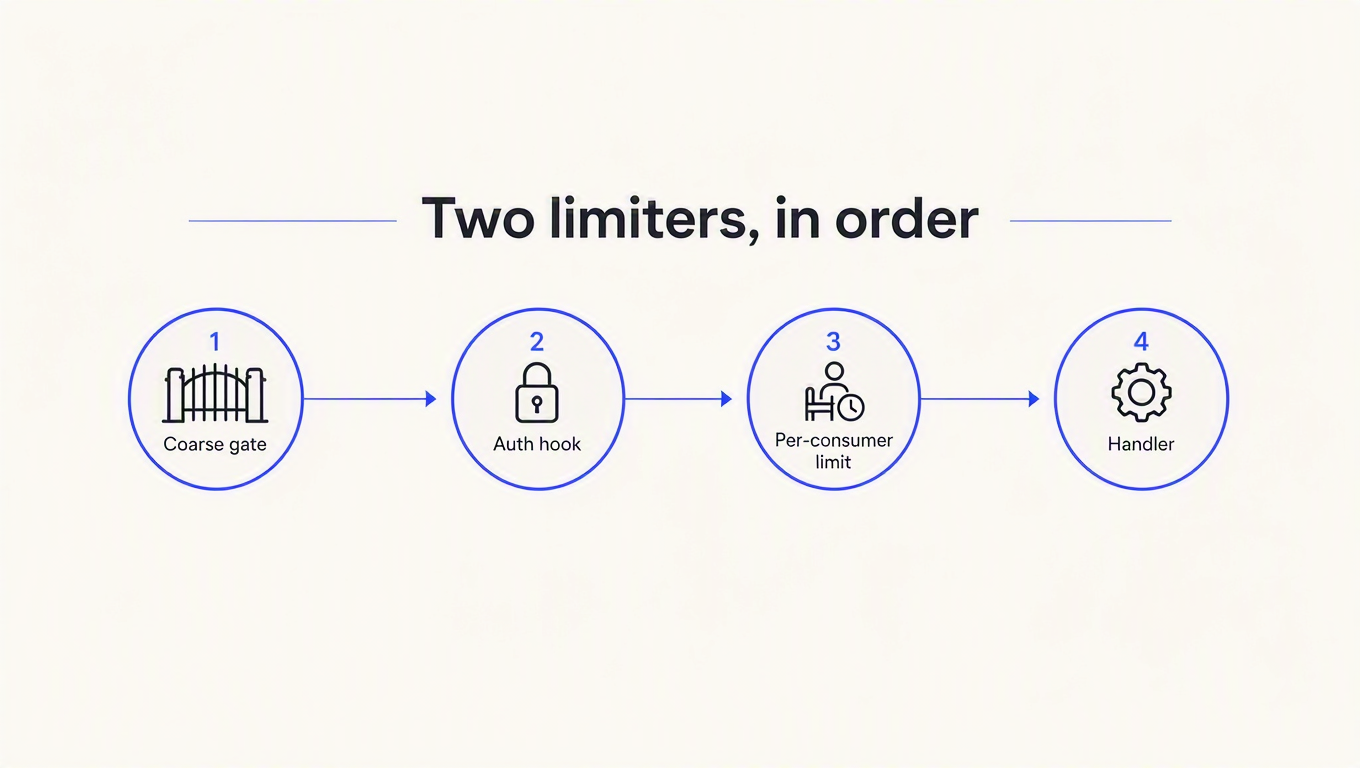
await app.register(rateLimit, { global: false })

// 1. coarse gate, in front of auth, keyed on address
app.addHook('onRequest', app.rateLimit({
  max: 20, timeWindow: '1 minute', keyGenerator: (req) => req.ip,
}))

// 2. auth
app.addHook('onRequest', async (req, reply) => {
  const consumer = await lookUpKey(req.headers['x-api-key'])
  if (!consumer) { reply.code(401); throw new Error('invalid key') }
  req.consumer = consumer
})

// 3. per-consumer limit, called manually so the guard cannot swallow it
const perConsumer = app.createRateLimit({
  max: 3, timeWindow: '1 minute', keyGenerator: (req) => req.consumer,
})

app.addHook('onRequest', async (req, reply) => {
  const r = await perConsumer(req)
  if (!r.isAllowed && r.isExceeded) {
    const secs = Math.ceil(r.ttl / 1000)
    reply.header('retry-after', secs)
      .header('x-ratelimit-limit', r.max)
      .header('x-ratelimit-remaining', r.remaining)
      .code(429)
      .send({ statusCode: 429, error: 'Too Many Requests',
              message: `Rate limit exceeded, retry in ${secs} seconds` })
  }
})
Note the condition. The result object returns isAllowed: false on the normal path, because true is reserved for allow-list hits. The signal you want is isExceeded, and the plugin's own README uses !limit.isAllowed && limit.isExceeded. I checked only isAllowed first and 429'd every request in the app, including the first. Ask me how I know.
The same probe against that config:
alpha x5 against per-consumer max 3   -> 200, 200, 200, 429, 429
bravo x2, first requests ever         -> 200, 200
50 guessed keys from one address      -> 401 x20, then 429 x30
Paying customers get their own budgets, a new customer is not punished for a neighbour, and a key-guessing flood stops after twenty attempts. That is the config worth shipping.
What none of this fixes
Two honest limits, because a post that ends with "and now you're safe" is lying to you.
The coarse gate is address keyed, which is the same blunt instrument criticised in Gap 2. That is deliberate and unavoidable: in front of authentication, the address is the only identifier that exists. Set it generously, treat it as infrastructure protection rather than key security, and accept that a distributed attacker on a residential proxy pool walks under it. Without that first limiter, though, guessing traffic never reaches a counter at all, because auth rejects it before the route-level limiter runs. We measured that in the Fastify auth post: 500 guessed keys from one address produced 500 401s and zero 429s.
And keyGenerator: (req) => req.consumer is only as good as the lookup behind it. If lookUpKey is a database round trip on every request, you have put a query in front of every endpoint and the limiter is now the slowest thing in your stack.
Where a managed key layer fits
ReqKey exists for that last part. Validation and the throttle happen in one call, so there is no separate lookup to cache and no second store to keep alive:
import { ReqKey } from 'reqkey'
const reqkey = new ReqKey({ projectKey: process.env.REQKEY_PROJECT_KEY })

app.addHook('onRequest', async (req, reply) => {
  const d = await reqkey.verify(req.headers['x-api-key'], { apiId: 'api_things' })
  if (!d.valid) {
    if (d.reason === 'rate_limited' && d.retryAfter) {
      reply.header('retry-after', d.retryAfter)
    }
    return reply.code(d.reason === 'rate_limited' ? 429 : 401)
      .send({ error: d.reason })
  }
  req.reqkey = d
})
There is also a reqkey/fastify adapter that registers as a plugin without the encapsulation trap. Limits are set per consumer as {"rateLimit": {"limit": 100, "window": 60}}, enforced as a sliding window, and a throttled request consumes no credits and no rate-limit quota, so a client that backs off recovers immediately.
Two things it does not do, stated plainly. Limits are consumer level, shared by every key that consumer owns, so a tighter ceiling on one key means a second consumer. And a guessed key belongs to no consumer, so it has no bucket, which means the coarse pre-auth gate above stays your job no matter what you buy. Details are in the docs.
Key takeaways
- Register the limiter before your routes, and rate limit the 404 handler.
global: truecovers routes the plugin'sonRoutehook sees, which is only those declared after it. Unmatched paths are unlimited by default, and that is where URL enumeration lives. - Set
keyGeneratorto your resolved consumer, never to the raw header. In Fastify the limiter runs after instance hooks, so it can read whatever your auth hook decorated. The raw key value would land in Redis as a key name, and a new key per request means a new bucket per request. - Without a shared store your limit is
max × instances. Three processes let fifteen requests through a limit of five. Addredis, setconnectTimeoutandmaxRetriesPerRequestlow, and pick anameSpace. - Decide
skipOnErrorbefore Redis decides for you. The default isfalse, so a dead store returns 500 on every request with an ioredis message in the body. Fail open or fail closed on purpose, per route if the risk differs. - Two limiters from one registration means one limiter. They share a per-request "already ran" symbol and the first to execute wins. Use
createRateLimit()for the second check, and test the second limit rather than assuming it fires.
Every measurement here came from probing the plugin instead of reading its README, and four of the five gaps only appear under conditions a laptop never reproduces: a second process, a dead Redis, a second customer, a second limiter. Worth an afternoon with a load generator before your customers find them for you.
If the per-consumer half of that config is what you are building toward, ReqKey's free tier is $0 and includes 100,000 requests a month, which is enough to point a real Fastify app at it and check the 429s look the way you want before you commit.