Next.js "middleware is deprecated, please use proxy": the migration guide
Next.js 16 renamed middleware.ts to proxy.ts. Here is the exact warning, the one command that migrates most projects, the case where that command silently does nothing, and where your API key check belongs afterwards.

Sorower
Co-founder
In this article
- Where the warning comes from (and why you probably missed it)
- Why Next.js renamed middleware to proxy
- Step 1: run the codemod
- Step 2: check that the rename actually happened
- Step 3: the manual version, in full
- Three traps the rename doesn't warn you about
- 1. Your runtime export is now illegal
- 2. The matcher is unchanged, which is exactly the problem
- 3. Search your whole repo, not just the two files
- Where your API key check lives after the move
- Questions people actually ask
- Do I have to migrate right now?
- Can I keep both files during a gradual rollout?
- Does the matcher syntax change?
- What happens to in-flight requests during the deploy?
- My app has no auth in the proxy at all. Do I still care?
- Key takeaways
You upgraded to Next.js 16, ran next dev, and somewhere in the startup noise there was this:
⚠ The "middleware" file convention is deprecated. Please use "proxy" instead.

  To migrate automatically, run:
  npx @next/codemod@canary middleware-to-proxy .

  Learn more: https://nextjs.org/docs/messages/middleware-to-proxy
That is the whole message. Nothing is broken, your app still boots, and the temptation is to file it under "later." This guide is the later. It covers what Next.js actually renamed, the one command that does most of the work, the case where that command silently does nothing, and the traps that a filename change is not supposed to have but does.
Short version if you only have a minute: rename the file, rename the exported function, rename four next.config properties, delete the old file. Everything else below is the part that bites.
Where the warning comes from (and why you probably missed it)
The string is emitted from two places in the Next.js source: the dev bundler and the build. So next dev prints it, and next build prints it too. Both go through warnOnce, which is the important bit: it fires a single time per process. One line, once, at the top of a dev session you are going to leave running for six hours. By the time you look at the terminal it has scrolled into the void.
It is a warning, not an error. middleware.ts still works in Next.js 16. The docs are explicit that the file "is still available for Edge runtime use cases, but it is deprecated and will be removed in a future version." So you have time, in the same way you have time before a mortgage payment.
Why Next.js renamed middleware to proxy
The official reason, from the migration page, is that "middleware" reads like Express middleware, and it isn't. Express middleware is a chain inside your app: app.use(a); app.use(b), each link handing off to the next, all sharing the same process and the same memory. Next's version is one function that runs at a network boundary in front of the app, possibly in a different runtime, possibly nowhere near your server. Calling both things "middleware" taught a generation of developers to expect a pipeline and hand them a proxy.
Read the docs a second time and there is a stronger claim hiding in the rationale. Vercel writes that the feature "is recommended to be used as a last resort" and that they are "moving away from Middleware, breaking down its overloaded features." That is not the language of a cosmetic rename. The rename is a demotion. Next.js is telling you that the request-interception layer was doing too many jobs, and that it would like most of those jobs back.
Which is a defensible position. A single file that quietly sat in front of every route in your application, doing auth and locale routing and feature flags and A/B splits, was always one config edit away from being a very large blast radius.
Step 1: run the codemod
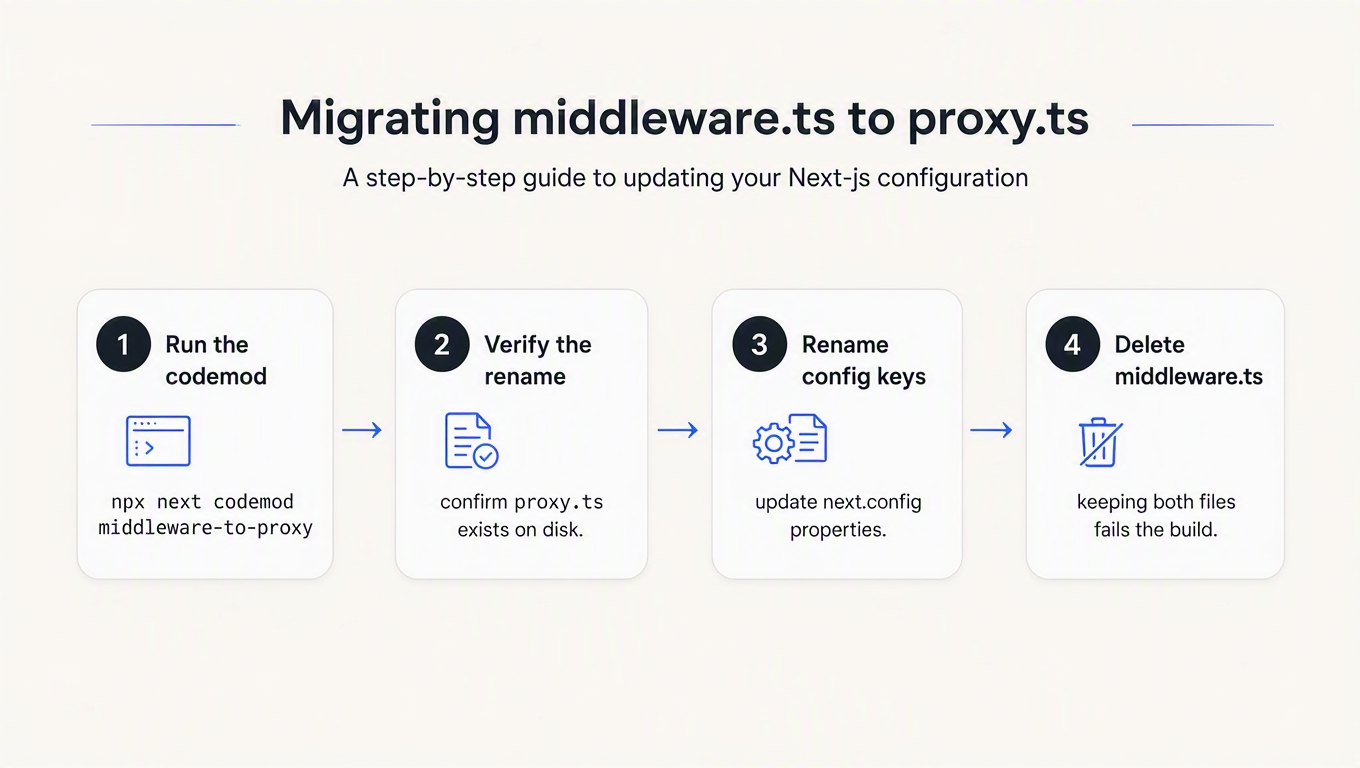
The transform is named middleware-to-proxy:
npx @next/codemod@latest middleware-to-proxy .A quick note, because a lot of blog posts and a lot of chatbots will tell you the command is rename-middleware-to-proxy: that transform does not exist. There is exactly one file in the codemod package for this, middleware-to-proxy.ts. Pass the wrong name and you do not get an error, you get dropped into a menu of the transforms that do exist, which is easy to tab past at speed. The Next.js docs use @next/codemod@canary; @latest works fine and is what the codemods guide lists.
It will also refuse to run on a dirty working tree:
Thank you for using @next/codemod!

But before we continue, please stash or commit your git changes.

You may use the --force flag to override this safety check.
Commit first. You want this migration as its own diff anyway.
Here is everything the codemod touches, which is more than the file rename people expect:
| Before | After | Where |
|---|---|---|
middleware.ts | proxy.ts | root or src/ |
export function middleware() | export function proxy() | the file itself |
NextMiddleware | NextProxy | type import from next/server |
MiddlewareConfig | ProxyConfig | type import from next/server |
experimental.middlewarePrefetch | experimental.proxyPrefetch | next.config |
experimental.middlewareClientMaxBodySize | experimental.proxyClientMaxBodySize | next.config |
experimental.externalMiddlewareRewritesResolve | experimental.externalProxyRewritesResolve | next.config |
skipMiddlewareUrlNormalize | skipProxyUrlNormalize | next.config |
export const runtime = '…' | deleted | the file itself |
That last row is not a typo and it is not optional. More on it in a moment.
Step 2: check that the rename actually happened
This is the part no other migration guide will tell you, so here is the receipt. I ran @next/codemod 16.3.0 against four middleware.ts files that differ only in how the function is exported:
| What the file exports | codemod output | File on disk afterwards |
|---|---|---|
export function middleware(req) | 1 skipped, 0 ok | proxy.ts ✅ |
export const runtime + export function middleware(req) | 1 skipped, 0 ok | proxy.ts ✅ (runtime line removed) |
export default function (req) | 1 unmodified, 0 ok | middleware.ts ❌ |
const handleRequest = …; export default handleRequest | 1 unmodified, 0 ok | middleware.ts ❌ |
Two things fall out of that table.
First: the codemod only renames your file if it also had something to change inside it. The transform builds up a hasChanges flag from three sources (an identifier literally spelled middleware, a NextMiddleware/MiddlewareConfig type import, or a runtime export), and if none of them fire it returns early, before the rename ever runs. Next.js supports a default export of any name, so a file like this is completely valid and completely untouched:
// middleware.ts — the codemod will not rename this file
import { NextResponse } from 'next/server'
import type { NextRequest } from 'next/server'

export default function (request: NextRequest) {
  if (!request.cookies.get('session')) {
    return NextResponse.redirect(new URL('/login', request.url))
  }
  return NextResponse.next()
}

export const config = { matcher: '/dashboard/:path*' }
Nothing in there is spelled middleware. No change, no rename, exit code 0. This is a known open issue, filed in November 2025 and still open at the time of writing.
Second, and worse: the codemod's own summary line cannot tell you whether it worked. Look at the middle column. Both successes reported 0 ok. Both failures also reported 0 ok. The success case is even labelled skipped: when the transform renames a file it writes the new one, deletes the old one, and hands jscodeshift an empty string to say "already handled," which jscodeshift dutifully files under skipped. The counters are answering a different question than the one you are asking.
So verify with the filesystem, not the summary:
ls proxy.ts src/proxy.ts 2>/dev/null || echo "still on middleware.ts"If it is still middleware.ts, rename it by hand (git mv middleware.ts proxy.ts) and rename the exported function to proxy or leave it as a default export. Both are supported: the docs say the file "must export a single function, either as a default export or named proxy."
Step 3: the manual version, in full
If you would rather not run a codemod at all, the whole migration is this:
// proxy.ts  (was: middleware.ts)
import { NextResponse } from 'next/server'
import type { NextRequest } from 'next/server'

export function proxy(request: NextRequest) {   // was: export function middleware
  const session = request.cookies.get('session')
  if (!session) {
    return NextResponse.redirect(new URL('/login', request.url))
  }
  return NextResponse.next()
}

export const config = {
  matcher: ['/dashboard/:path*'],
}NextRequest, NextResponse, config, matcher, event.waitUntil: all unchanged. If you were using the NextMiddleware shorthand type, its replacement is NextProxy.
Then delete middleware.ts. Not "leave it there for a bit." Next.js checks for both files in dev and in build, and if it finds them it throws rather than warns:
Both middleware file "./middleware.ts" and proxy file "./proxy.ts" are detected.
Please use "./proxy.ts" only.
Learn more: https://nextjs.org/docs/messages/middleware-to-proxy
Worth knowing, because a few write-ups describe the two-file state as merely "unstable." It isn't ambiguous. It's a failed build.
Three traps the rename doesn't warn you about
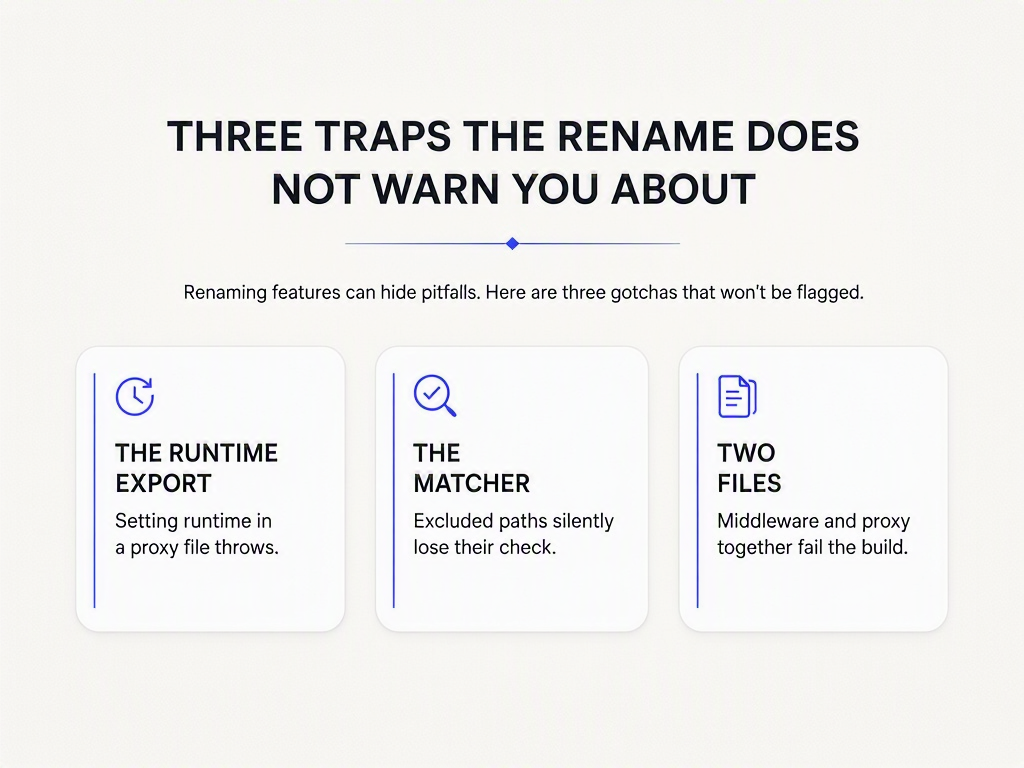
1. Your runtime export is now illegal
Proxy defaults to the Node.js runtime, and the route segment runtime option is not available in a proxy file at all. Setting it throws. That is why the codemod deletes the line instead of renaming it, and it is the one edit in this migration that changes behaviour rather than spelling: if you had export const runtime = 'edge' pinning that file to the Edge runtime, it is now running on Node. Usually that is an upgrade (real Node APIs, fewer library incompatibilities). If you were relying on edge geography or on a dependency that only builds for the edge runtime, it is not.
This is also the migration's quietest failure mode, because a codemod deleting a line you did not read is indistinguishable from a codemod doing its job.
2. The matcher is unchanged, which is exactly the problem
matcher semantics survived the rename intact, including the sharp edges:
- No matcher means every request. Static files,
_next/image, everything inpublic/. Fine for logging, expensive for anything that hits a database. - Matcher values must be static constants. They are analysed at build time, so a matcher built from a variable is silently ignored. Not an error. Ignored.
_next/dataroutes run anyway. Even when your negative pattern excludes them. Next.js does this deliberately, so that protecting a page but forgetting its data route is not a security hole you can create by accident.- Server Functions inherit your matcher. They are POST requests to the route where they are used, so a matcher that excludes a path also skips Server Function calls on that path. Move a Server Function to a different route and you can silently remove its coverage.
3. Search your whole repo, not just the two files
The codemod handles next.config and the proxy file. It does not know about your Dockerfile, your CI matrix, your .gitignore, the ESLint override scoped to middleware.ts, or the deploy script that greps for the compiled output. Once the rename is committed:
grep -rn "middleware" --include="*.ts" --include="*.js" --include="*.json" \
  --include="*.yml" --include="Dockerfile" . | grep -v node_modules
Expect hits you did not plan for. Third-party helpers are the usual suspects, because a library that exports a createMiddleware() factory still exports it under that name; you are wrapping it in a function called proxy now, and nothing about that is wrong, just briefly confusing at 6pm on a Friday.
Where your API key check lives after the move
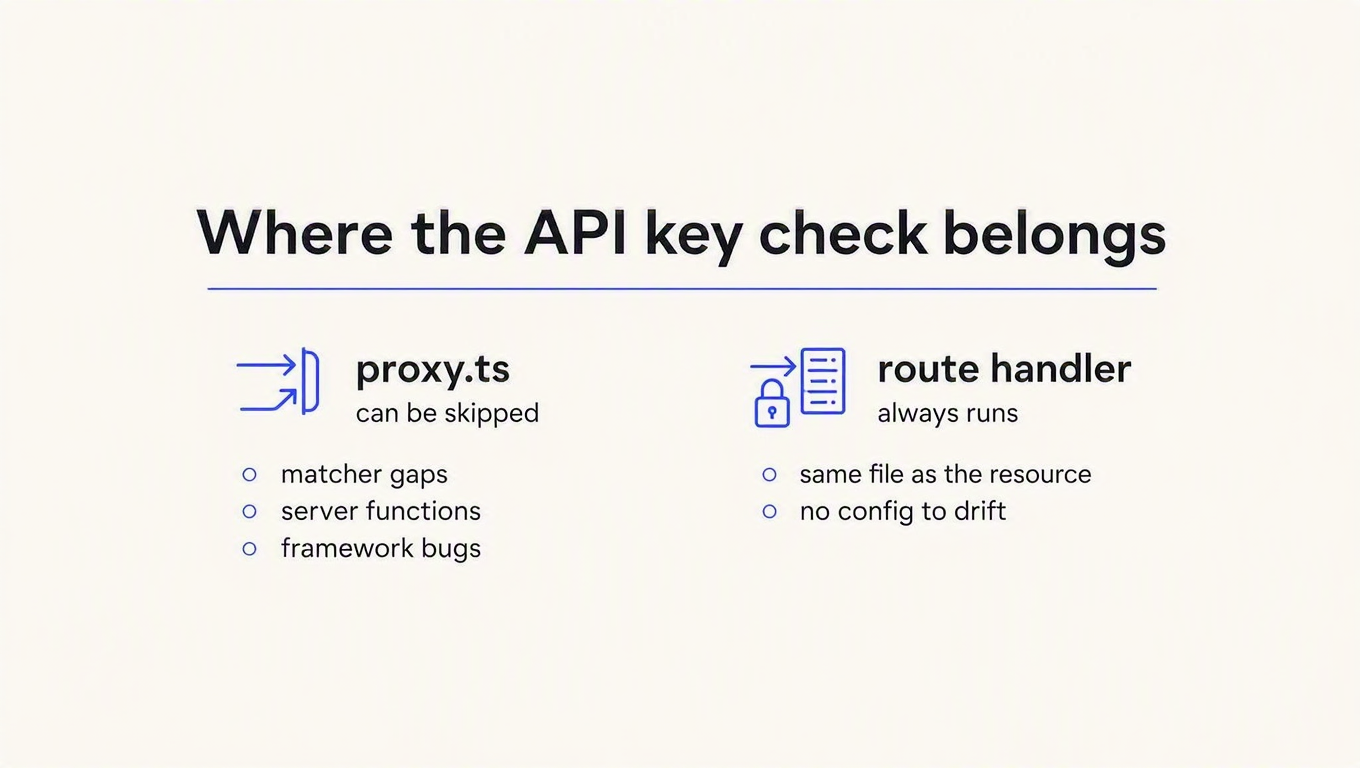
If the thing in your old middleware.ts was authenticating machine clients (an API key on an inbound request), the rename is a good moment to ask whether it should move somewhere else entirely, because Vercel is telling you plainly that it should.
Start with the matcher pattern that ships in the docs and gets copy-pasted into approximately every Next.js project on earth:
export const config = {
  matcher: ['/((?!api|_next/static|_next/image|favicon.ico|sitemap.xml|robots.txt).*)'],
}
Read the first item in that negative lookahead. api. An API key check placed in proxy.ts under this matcher never runs on a single one of your API routes. The pattern is correct for its intended job (keep the proxy off static assets) and catastrophic for the job people repurpose it for. We measured this behaviour end to end in Next.js API key authentication: the matcher that skips your API, which is the companion piece to this one.
Then there is the structural argument, and it is not hypothetical. CVE-2025-29927 (Critical, CVSS 9.1) was an authorization bypass in exactly this layer: sending an internal x-middleware-subrequest header caused Next.js to skip middleware entirely. Every authorization decision made there evaporated. Patched in 12.3.5, 13.5.9, 14.2.25 and 15.2.3, and the lesson outlives the patch.
A check that lives outside the handler can be skipped by anything that decides not to call the handler's front door. A matcher edit skips it. A Server Function skips it. A framework bug skips it. The route handler is the only layer that cannot run without your check running, because it is the thing being protected.
So the shape that survives migrations looks like this, with the proxy doing routing work and the handler doing the security work:
// app/api/payments/route.ts
export async function POST(request: Request) {
  const key = request.headers.get('x-api-key')
  if (!key) {
    return Response.json({ error: 'Missing API key' }, { status: 401 })
  }

  const res = await fetch('https://api.reqkey.com/key/validate', {
    method: 'POST',
    headers: {
      Authorization: `Bearer ${process.env.REQKEY_PROJECT_KEY}`,
      'Content-Type': 'application/json',
    },
    body: JSON.stringify({ key, credits: 1 }),
  })

  // Each failure mode has its own status, and they mean different things.
  if (res.status === 402) {
    return Response.json({ error: 'Out of credits' }, { status: 402 })
  }
  if (res.status === 429) {
    return Response.json({ error: 'Rate limited' }, { status: 429 })
  }
  if (res.status === 403) {
    return Response.json({ error: 'Key disabled' }, { status: 403 })
  }
  if (!res.ok) {
    // Anything else is your outage, not the caller's mistake.
    // Decide deliberately: fail closed on paid routes, open on cheap ones.
    return Response.json({ error: 'Auth unavailable' }, { status: 503 })
  }

  const { valid, creditsRemaining } = await res.json()
  if (!valid) {
    return Response.json({ error: 'Invalid API key' }, { status: 401 })
  }

  return Response.json({ created: true, creditsRemaining }, { status: 201 })
}
Expected response on a good key, with a consumer that started the month at 5,000 credits:
{ "created": true, "creditsRemaining": 4999 }If you would rather not hand-roll the status mapping, the Node SDK ships a Next.js adapter that wraps the handler and leaves the check in the same file as the resource:
// app/api/payments/route.ts
import { getReqKey, withReqKey } from 'reqkey/next'

export const POST = withReqKey(
  async (request) => {
    const decision = getReqKey(request)
    return Response.json({ created: true, creditsRemaining: decision?.creditsRemaining }, { status: 201 })
  },
  {
    projectKey: process.env.REQKEY_PROJECT_KEY,
    apiId: 'api_payments',
    keyName: 'X-Api-Key',
    failureMode: 'closed',
  },
)
Note getReqKey(request) rather than a property hung off the request object: Next.js freezes request objects in some runtimes, so a mutation-based wrapper hands you undefined in production and works perfectly on your laptop.
ByteGrad covers the same fork in the road (proxy or data access layer) if you would rather watch it argued out loud:

Questions people actually ask
Do I have to migrate right now?
No. middleware.ts works in Next.js 16 and warns. But the deprecation is stated, the removal is promised, and this is a twenty-minute change that gets harder the more code accumulates in that file. Do it while the diff is still one rename.
Can I keep both files during a gradual rollout?
No, and this is the one hard failure in the migration. Both next dev and next build throw when they see middleware.ts and proxy.ts together. There is no gradual rollout; it is one commit.
Does the matcher syntax change?
Not at all. source, has, missing, locale, negative lookaheads, path-to-regexp modifiers: identical. If your matcher was wrong before the migration it is wrong after it, which is worth ten minutes of re-reading while you are in the file.
What happens to in-flight requests during the deploy?
Nothing special. This is a build-time file convention, not a runtime toggle; a deploy swaps one build for another the way it always does.
My app has no auth in the proxy at all. Do I still care?
Yes, for the runtime line. If your old middleware pinned the Edge runtime, that pin is gone and the code now runs on Node. Check any dependency you chose specifically for edge compatibility.
Key takeaways
- Run the codemod, then run
ls.middleware-to-proxyskips the file rename when the file's contents needed no edits, and reports0 okwhether it succeeded or not. The filesystem is the only honest status line. - Delete
middleware.tsin the same commit. Both files present is a thrown error in dev and in build, not a warning. Plan for one commit, not a rollout. - Grep for the four
next.configproperties.middlewarePrefetch,middlewareClientMaxBodySize,externalMiddlewareRewritesResolveandskipMiddlewareUrlNormalizeall changed names, and a stale key in a config file is ignored rather than rejected. - Check what happened to your
runtimeexport. It is illegal in a proxy file, so the codemod removes it. Anything that was pinned to the Edge runtime now runs on Node. - Treat the rename as the demotion it is. Vercel calls this layer a last resort. If your API key check is in there, move it into the route handler, where no matcher edit and no framework CVE can route around it.
If that last one is the change you are actually making, the checking part is the easy bit to get wrong: revocation that takes effect immediately, per-consumer credit balances, and 402 versus 429 meaning different things to the client. ReqKey gives you one POST /key/validate call that answers all three, and the free plan includes 100,000 requests a month, which is enough to run this migration end to end without a card. The docs have the full status table if you want to read the failure modes before you write the happy path.