Spring Boot API key authentication and the filter bean trap
Declaring your API key filter as a @Bean registers it twice: once in your security chain and once with the servlet container. Measured results, the four-line fix, and the four things that break after your first customer.

Sorower
Co-founder
In this article
- Spring Boot API key authentication in one filter
- The filter bean trap
- What actually happens, measured
- Why the ordering lands that way
- The fix is four lines
- And no, your error handler will not format that 401
- What breaks after customer number one
- Storage: a constant is not a key store
- Hashing: SHA-256, not BCrypt, and not equals
- Revocation: you need to kill one key, not redeploy
- Identity and quota: who sent this, and how much have they used?
- The managed path
- Key takeaways
Your health endpoint started returning 401. Nobody touched the health endpoint.
That is the shape of the bug this post is about, and it comes from one line in a Spring Boot API key authentication setup that nearly every tutorial on the first page of Google tells you to write. Not a subtle line, either. A @Bean declaration.
Everything below was run, not remembered. The environment was Spring Boot 3.5.16 (which resolves Spring Security 6.5.11, Spring Framework 6.2.19 and Tomcat 10.1.55) on JDK 21, and the output is pasted as observed.
Spring Boot API key authentication in one filter
Here is the canonical version. A filter reads a header, compares it to a known value, and either populates the security context or writes a 401.
public class ApiKeyFilter extends OncePerRequestFilter {

    private static final String HEADER = "X-API-Key";

    @Override
    protected void doFilterInternal(HttpServletRequest request,
                                    HttpServletResponse response,
                                    FilterChain chain) throws ServletException, IOException {
        String key = request.getHeader(HEADER);
        if (!"super-secret-key".equals(key)) {
            response.setStatus(401);
            response.setContentType("application/json");
            response.getWriter().write("{\"error\":\"invalid_api_key\"}");
            return;
        }
        SecurityContextHolder.getContext().setAuthentication(
                new UsernamePasswordAuthenticationToken("acme-corp", null, AuthorityUtils.NO_AUTHORITIES));
        chain.doFilter(request, response);
    }
}
I have no complaints about this code. It compiles, it works, and if you are protecting an internal service with one caller it is genuinely the right amount of engineering. Baeldung's version (last updated March 2025) is the same idea with a static AUTH_TOKEN constant; GeeksforGeeks hardcodes "valid-api-key" and a matching secret.
Every API key tutorial ends exactly one paragraph before the interesting part. So let's keep going.
The filter bean trap
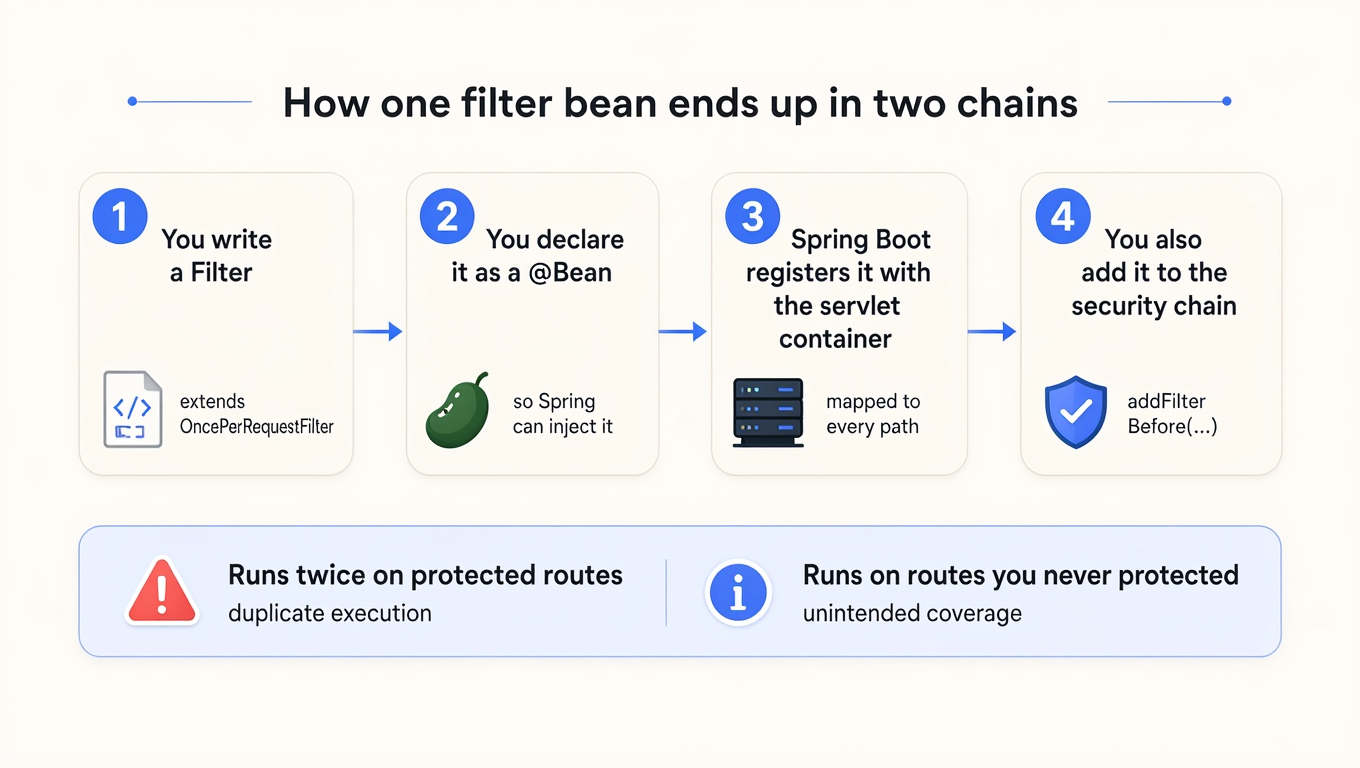
You need the filter in your SecurityFilterChain, and you probably want to inject a repository into it, so you make it a bean:
@Bean
public ApiKeyFilter apiKeyFilter() {
    return new ApiKeyFilter();
}

@Bean
public SecurityFilterChain chain(HttpSecurity http, ApiKeyFilter apiKeyFilter) throws Exception {
    return http
        .csrf(csrf -> csrf.disable())
        .securityMatcher("/api/**")                 // only /api/** is Spring Security's business
        .authorizeHttpRequests(a -> a.anyRequest().authenticated())
        .addFilterBefore(apiKeyFilter, UsernamePasswordAuthenticationFilter.class)
        .build();
}
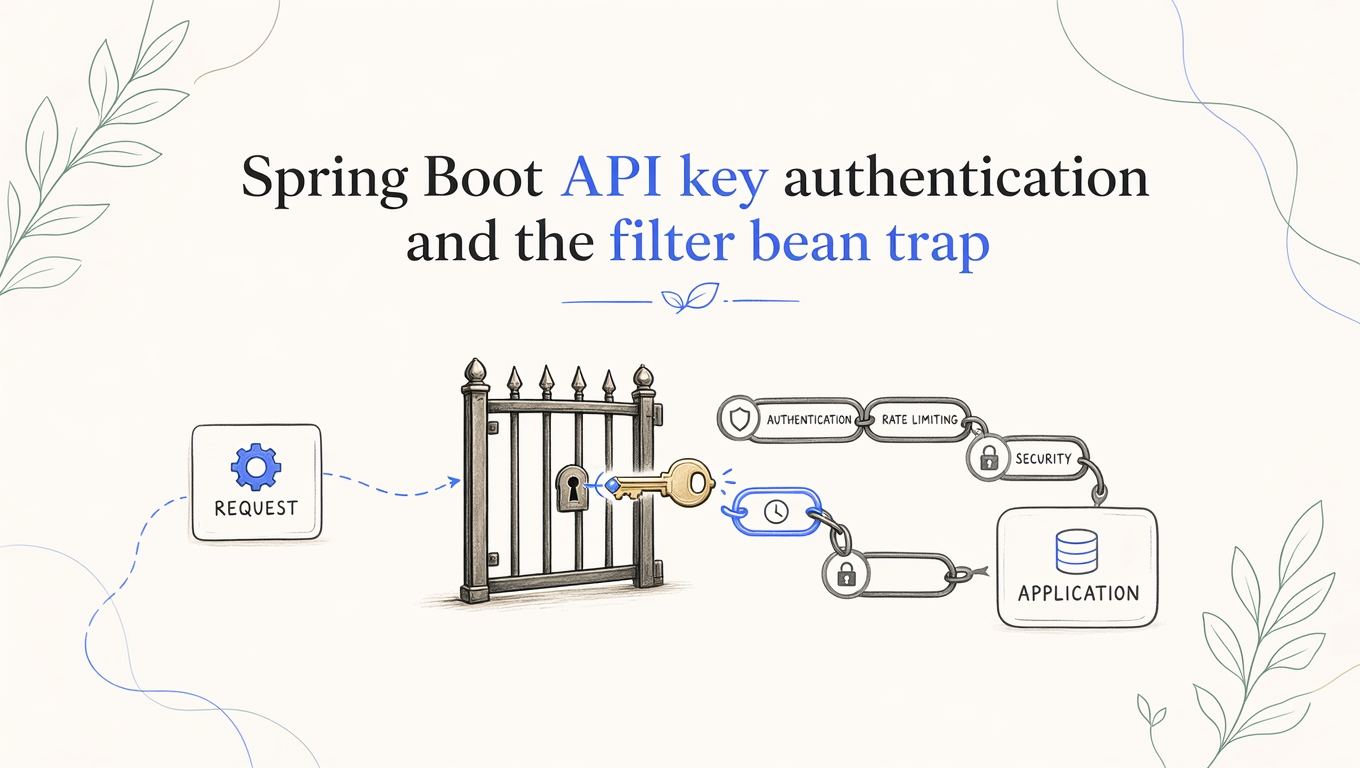
That reads as one registration. It is two. Spring Boot's reference documentation is completely upfront about the second one: any Servlet, Filter or listener instance that is a Spring bean gets registered with the embedded container, and per the servlet docs, "Filters map to /*". Your securityMatcher("/api/**") scopes the copy inside Spring Security. It has no authority over the copy Spring Boot handed to Tomcat.
What actually happens, measured
I built the app above with two routes: /api/orders (inside the security matcher) and /public/health (deliberately outside it). Then I counted how many times the filter body executed per request, across four permutations.
| Filter base class | Registration opt-out | GET /api/orders (valid key) | GET /public/health (no key) |
|---|---|---|---|
OncePerRequestFilter | none | 200, body ran 1× | 401, body ran 1× |
bare Filter | none | 200, body ran 2× | 401, body ran 1× |
OncePerRequestFilter | setEnabled(false) | 200, body ran 1× | 200, body ran 0× |
bare Filter | setEnabled(false) | 200, body ran 1× | 200, body ran 0× |
Two separate failures are hiding in that table.
A bare Filter bean authenticates every protected request twice. The container's copy and the security chain's copy both run. If your filter does a database lookup, that is two lookups per request. If it decrements a usage counter, that is two decrements, and your customers are being billed double for traffic they sent once.
Both variants run on routes Spring Security was never asked to guard. That is the 401 on /public/health. It is also a 401 on your actuator endpoints, your OpenAPI JSON, and anything else you deliberately left outside securityMatcher. Your load balancer starts marking healthy pods as down and you go looking in the wrong config file.
Notice which class saves you from which problem. OncePerRequestFilter stamps a request attribute and skips itself on re-entry, so it silently absorbs the double execution. It does nothing at all about the second failure. If you have been using it and assuming you were covered, you were covered against one of the two.
Why the ordering lands that way
Both registrations carry an order value, and I printed them rather than guessing:
SecurityProperties.DEFAULT_FILTER_ORDER = -100
FilterRegistrationBean default order     = 2147483647
Spring Security's chain sits at -100, so it wraps the request first. Your auto-registered copy sits at Integer.MAX_VALUE, the last position before the DispatcherServlet. For /api/orders, Security's chain runs your filter, finishes, and hands the request onward to the container-level copy, which runs it again. For /public/health, Security's chain matches nothing and passes straight through, and the container-level copy is the only thing standing between the caller and the controller. It is happy to return a 401 on a route you never protected.
The fix is four lines
@Bean
public FilterRegistrationBean<ApiKeyFilter> apiKeyFilterRegistration(ApiKeyFilter filter) {
    FilterRegistrationBean<ApiKeyFilter> registration = new FilterRegistrationBean<>(filter);
    registration.setEnabled(false);   // security chain only; keep it out of the container chain
    return registration;
}
The alternative is to not make it a bean at all: addFilterBefore(new ApiKeyFilter(repository), ...) and construct it by hand. That is what Baeldung's snippet does, incidentally, though the article never says why it matters. The default that saves you is the one you didn't know you were relying on, which is a bad place to leave your auth layer.
Whichever you pick, write the test. Hit a route outside your security matcher with no credentials and assert it returns 200. That test would have caught every row in the table above.
And no, your error handler will not format that 401
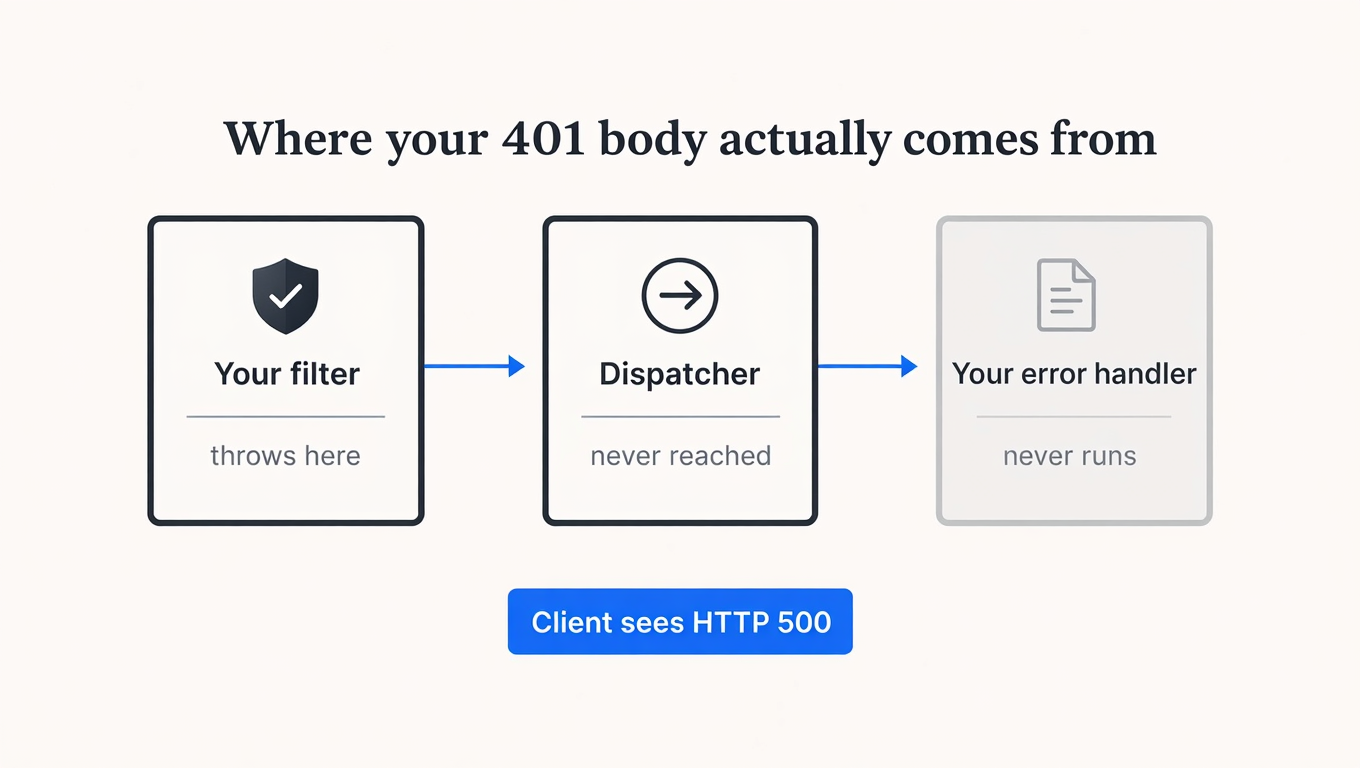
Reasonable instinct: throw a typed exception from the filter and let @RestControllerAdvice turn it into the same JSON error envelope the rest of your API uses. I wired exactly that up, with a handler registered for the exception, and sent a request with no key.
GET /api/orders with NO key, filter throws BadKeyException
  -> HTTP 500
  -> body: {"timestamp":"2026-07-29T13:40:27.985+00:00","status":500,
            "error":"Internal Server Error","path":"/api/orders"}
The handler never ran. @ExceptionHandler lives inside the DispatcherServlet, and your filter is upstream of it, so an exception thrown there blows past Spring MVC entirely and lands on the container's default error page. Your caller gets a 500 for a missing credential, which is both wrong and, if anyone is watching your error budget, expensive.
Write the response bytes in the filter, or hand the job to an AuthenticationEntryPoint registered on the chain. Either way you are formatting that body yourself. While you are in there, make it a body worth reading: a stable machine-readable code, not just a status. We have written about what a good rejection response looks like for the rate-limit case, and the same argument applies to auth.
What breaks after customer number one
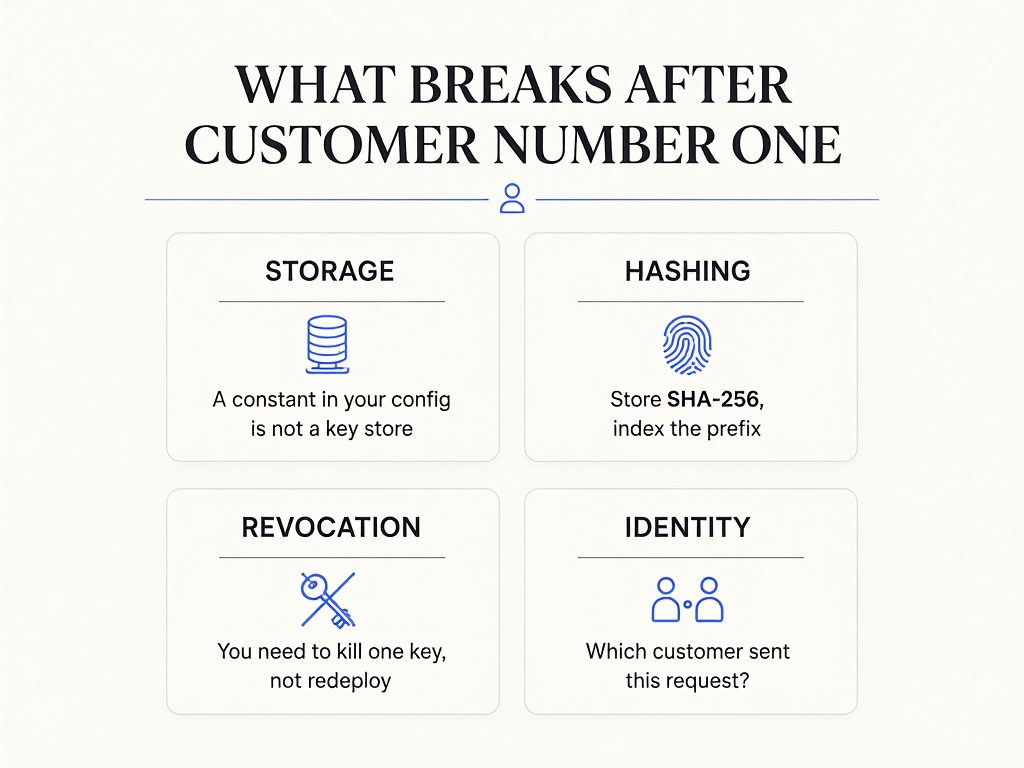
Now the part the tutorials skip. The filter is correct; the thing it consults is not.
Storage: a constant is not a key store
The moment you have two customers, one string in application.yml stops working. Both callers share a credential, so you cannot revoke one without revoking both, and you cannot tell them apart in your logs. You need a row per key. Some tutorials do get here, notably SmattMe's, which queries a repository. None of them go the next step.
Hashing: SHA-256, not BCrypt, and not equals
Store a hash, not the key. But reach past your usual instinct here, because Spring hands you a PasswordEncoder and it is the wrong tool. BCrypt and Argon2 are deliberately slow, because passwords are low-entropy and get reused, and you verify one once per login. An API key is high-entropy randomness your system generated, and you verify it on every single request. Deliberate slowness on that path is a self-inflicted latency bill.
SHA-256 the key, store the digest, and store a short plaintext prefix (acme_live_9f2c…) in an indexed column so you can find the row without the original. The prefix earns its keep twice: it is your lookup index, and it is the pattern secret scanners match on when your customer pastes their key into a public repo.
For the comparison itself, String.equals short-circuits on the first differing character. Use MessageDigest.isEqual, which is the JDK's constant-time comparator. One detail worth knowing if you have written this in more than one language: reading the JDK 21 source, isEqual folds the length difference into its result accumulator instead of returning early, so mismatched lengths still walk the loop. Go's crypto/subtle.ConstantTimeCompare returns zero immediately when the lengths differ, which is a real behavioural difference between two functions people treat as equivalent. Java's is the more conservative of the two.
byte[] presented = sha256(key);
byte[] stored    = record.getKeyHash();
if (!MessageDigest.isEqual(presented, stored)) {
    return reject(response);
}
Revocation: you need to kill one key, not redeploy
A key in a config file is revoked by a deployment. That is fine at 3pm on a Tuesday and awful at 2am when a customer's key is in a public commit. You want a status column, a write path that flips it, and an honest answer to how long a revoked key keeps working, because that answer is your cache TTL and nothing else. If you cache key lookups for five minutes to keep the hot path fast, a revoked key is valid for up to five more minutes. That is a trade you should make on purpose. We went through the rotation side of this in API key rotation without downtime.
Identity and quota: who sent this, and how much have they used?
Authentication answers yes or no. Your business needs the name. Put the resolved consumer on the request so controllers and your access log can both see it, and separate the two limits people constantly conflate: how much a customer may consume (credits, monthly) and how fast (rate limit, per window). They are different axes and they belong at different levels of your data model, which we argued at length in where the limit actually belongs.
If you want the mental model for the filter chain itself before layering any of this on top of it, this walkthrough is a good place to start:

The managed path
The honest summary of the last four sections: storage, hashing, revocation, identity and quotas are each a small amount of work and collectively a service. Rolling your own key layer is a two-day project that ships in six weeks. Building it is a perfectly good decision if key management is your product. If it isn't, you can hand the hot path to something that already does it.
ReqKey publishes a Java SDK to Maven Central. The Spring Boot starter is com.reqkey:reqkey-spring-boot-starter:1.0.0, and it targets Spring Boot 3.5.
<dependency>
  <groupId>com.reqkey</groupId>
  <artifactId>reqkey-spring-boot-starter</artifactId>
  <version>1.0.0</version>
</dependency>
reqkey:
project-key: ${REQKEY_PROJECT_KEY}
api-id: api_payments
mode: both # validate + log analytics
key-name: X-API-Key
exclude-paths:
- /health
- /docs/*
failure-mode: closed # deny when ReqKey is unreachable
timeout: 2sNo filter to register, and no trap to step in: the auto-configuration hands the container a FilterRegistrationBean with an explicit order and explicit URL patterns rather than exposing a bare Filter bean. Your controller reads the decision off a request attribute:
@PostMapping("/payments")
Map<String, Object> create(HttpServletRequest request) {
    VerificationResult decision = (VerificationResult)
            request.getAttribute(ReqKeyAttributes.DECISION);
    return Map.of("created", true, "creditsRemaining", decision.getCreditsRemaining());
}
Denials come back with the status the situation actually calls for, which is more granular than the 401-or-nothing most hand-rolled filters manage: 401 missing_api_key, 401 invalid_api_key, 402 insufficient_credits, 403 access_denied, and 429 rate_limited with a Retry-After header. If ReqKey itself is unreachable, failure-mode decides, and it defaults to closed. That default is a real decision with real blast radius, and we wrote the case for both sides in fail open or fail closed. The full status table lives in the error reference.
Three things to know before you reach for it. It adds a network hop to your request path, so measure it against your own latency budget rather than trusting anyone's marketing number, ours included. In mode: both one incoming customer request costs two billable ReqKey requests, one validation and one analytics event, so the free tier's 100,000 requests a month covers roughly 50,000 protected calls with analytics on, or the full 100,000 with mode: validate. And the starter targets the Spring Boot 3.5 line: Spring Boot 4.1.0 and Spring Security 7.1.0 are the current releases on Maven Central, so if you are already on 4.x you are ahead of this particular artifact.
Setup details are in the Java SDK docs, and the shape of keys, consumers and credits is in API key management. If you would rather see how the same problem looks in another stack first, we have written the FastAPI, Express and Go versions of it.
Key takeaways
- Never declare an auth filter as a plain
@Beanwithout opting out of container registration. Spring Boot maps everyFilterbean to/*, so your filter runs on routes yoursecurityMatcherexcludes. Add aFilterRegistrationBeanwithsetEnabled(false), or construct the filter inline. - A bare
Filterbean runs twice per protected request;OncePerRequestFilterruns once. Measured, not theorised. If your filter meters usage, the bare version bills your customers double. - Test an unprotected route with no credentials and assert 200. One test catches the entire class of bug, and nobody writes it because the failure looks like a config problem somewhere else.
- Hash keys with SHA-256 and an indexed prefix, never a password KDF. KDFs are slow on purpose to defend low-entropy secrets; an API key is high-entropy and checked on every request, so the slowness is pure latency. Compare with
MessageDigest.isEqual, notequals. - Your revocation speed equals your cache TTL. Whatever you cache key lookups for is how long a leaked key keeps working after you kill it. Pick that number deliberately instead of discovering it during an incident.
If you want the filter-bean fix without also building storage, hashing, revocation and metering behind it, the starter above is one dependency and a block of YAML, and the free tier is enough traffic to run the four-permutation experiment from this post against a real key and see which rows change.