ASP.NET Core API key authentication: the filter that never ran
Run dotnet new webapi on .NET 10 and you get Minimal APIs with no controllers. The API key filter attribute every tutorial hands you does nothing there, and nothing warns you.

Sorower
Co-founder
In this article
- Setting up the ASP.NET Core API key authentication probe
- Four places to check a key, and only some of them run
- So which one should I use?
- Middleware works everywhere, but where you put it decides what it can see
- Your rate limiter is partitioning on a user that does not exist yet
- What if I want to limit unauthenticated traffic too?
- Where to meter, and the one thing ASP.NET Core gets right for free
- One more thing, since you will hit it: your 401s do not match
- What the snippet still is not
- The same thing with ReqKey
- Where this costs you
- Key takeaways
Run dotnet new webapi on .NET 10 and read what it gives you. There are no controllers. There is no Controllers/ folder. There is a Program.cs with app.MapGet("/weatherforecast", ...) in it, and that is your entire API surface.
Now go and read the top-ranking guides for ASP.NET Core API key authentication. Most of them hand you a filter attribute you decorate your actions with. You paste it in, you decorate your endpoint, you send a request without a key, and you get back 200 OK with the payload.
The attribute compiled. The attribute is right there on the endpoint. The attribute never ran.
I measured this on .NET SDK 10.0.302 with a stock dotnet new webapi project, and the rest of this post is the numbers. We will cover where an API key check can live in the ASP.NET Core pipeline, which of those places actually execute for your project shape, and the two ordering decisions that quietly decide whether your rate limiter and your usage meter are measuring anything real.
Setting up the ASP.NET Core API key authentication probe
Prerequisites: .NET 10 SDK, and about ten minutes. Everything below runs against a single scratch project.
dotnet new webapi -n KeyProbe --no-https
cd KeyProbe
Two consumers, two keys, held in a dictionary. Hardcoding keys is fine for a probe and wrong for production, which is a distinction the last section deals with properly.
static class Keys
{
    public const string Header = "X-API-Key";
    public static readonly Dictionary<string, string> Valid = new()
    {
        ["acme_live_alpha"] = "consumer-alpha",
        ["acme_live_bravo"] = "consumer-bravo"
    };
}
Four places to check a key, and only some of them run
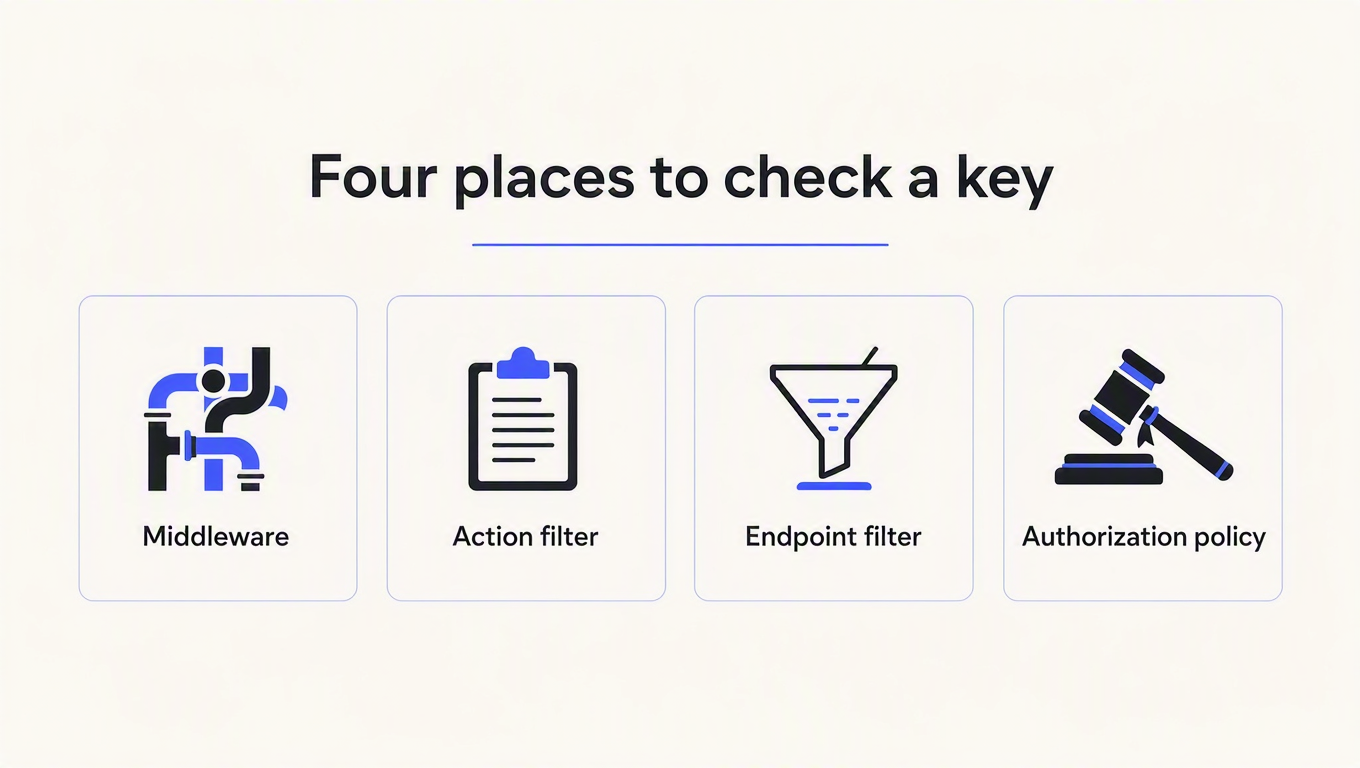
ASP.NET Core gives you four reasonable homes for an API key check, and the ranking articles enumerate them accurately. What none of them do is show you what happens when you pick the one that does not apply to your project. So here is the same attribute, on two endpoints.
[AttributeUsage(AttributeTargets.Class | AttributeTargets.Method)]
sealed class ApiKeyAttributeFilter : Attribute, IAsyncActionFilter
{
    public async Task OnActionExecutionAsync(
        ActionExecutingContext context, ActionExecutionDelegate next)
    {
        Counters.Note("attribute-filter-ran");
        var key = context.HttpContext.Request.Headers[Keys.Header].FirstOrDefault();
        if (key is null || !Keys.Valid.ContainsKey(key))
        {
            context.Result = new UnauthorizedResult();
            return;
        }
        await next();
    }
}
Applied to a controller action:
[ApiController]
[Route("mvc")]
public class PingController : ControllerBase
{
    [HttpGet("ping")]
    [ApiKeyAttributeFilter]
    public IActionResult Ping() => Ok(new { route = "mvc/ping" });
}
And applied to a Minimal API endpoint, which is legal C# and compiles without a murmur:
app.MapGet("/minimal/ping", [ApiKeyAttributeFilter] () =>
{
    Counters.Note("handler:minimal/ping");
    return Results.Ok(new { route = "minimal/ping" });
});
Three requests, no X-API-Key header on any of them:
$ curl -s -o /dev/null -w "%{http_code}\n" localhost:5199/mvc/ping
401
$ curl -s localhost:5199/minimal/ping
{"route":"minimal/ping"}
$ curl -s -o /dev/null -w "%{http_code}\n" localhost:5199/minimal/ping-ef
401
The middle one is the whole post. Same attribute, same process, same request, and the Minimal API endpoint served its payload to a caller who presented no credentials at all.
The counters confirm it was not a near miss. After two requests to each route, the filter had run twice, and both of those runs came from the controller:
{
  "attribute-filter-ran": 2,
  "endpoint-filter-ran": 2,
  "handler:minimal/ping": 2,
  "handler:minimal/ping-ef": 1
}
handler:minimal/ping fired twice, once for the authenticated request and once for the anonymous one. The attribute contributed exactly zero runs on that route.
The reason is that IAsyncActionFilter is part of the MVC filter pipeline, and Minimal APIs are not MVC. The attribute becomes endpoint metadata, which is why nothing errors and nothing warns. Metadata that nobody reads is just a comment with angle brackets. The Minimal API equivalent is IEndpointFilter, attached explicitly:
app.MapGet("/minimal/ping-ef", () => Results.Ok(new { route = "minimal/ping-ef" }))
   .AddEndpointFilter<ApiKeyEndpointFilter>();
That one returns 401, as the third curl above shows.
This matters more than it used to precisely because of the template change. When every ASP.NET Core project started with controllers, a filter attribute was the correct answer and the tutorials were right. A reader today starts from a template that has no controllers in it, and inherits advice written for a project shape they do not have.
So which one should I use?
| Mechanism | Runs on controllers | Runs on Minimal APIs | Main limitation |
|---|---|---|---|
Middleware (app.Use...) | Yes | Yes | Blanket by default; needs routing to have run before it can read endpoint metadata |
IAsyncActionFilter / IAuthorizationFilter | Yes | No | Silently inert outside MVC |
IEndpointFilter | No | Yes | Must be attached per endpoint or per route group |
Authorization policy + [Authorize] | Yes | Yes | Most ceremony; you inherit the whole authentication scheme apparatus |
If your API is one shape, pick the mechanism that matches it. If your API is both shapes, which is extremely common in codebases older than a year, middleware is the only option in that table that covers everything with one registration. That is why the SDK integrations for this problem ship as middleware.
Nick Chapsas covers the controller-flavoured version of this if you want it on video:

Middleware works everywhere, but where you put it decides what it can see
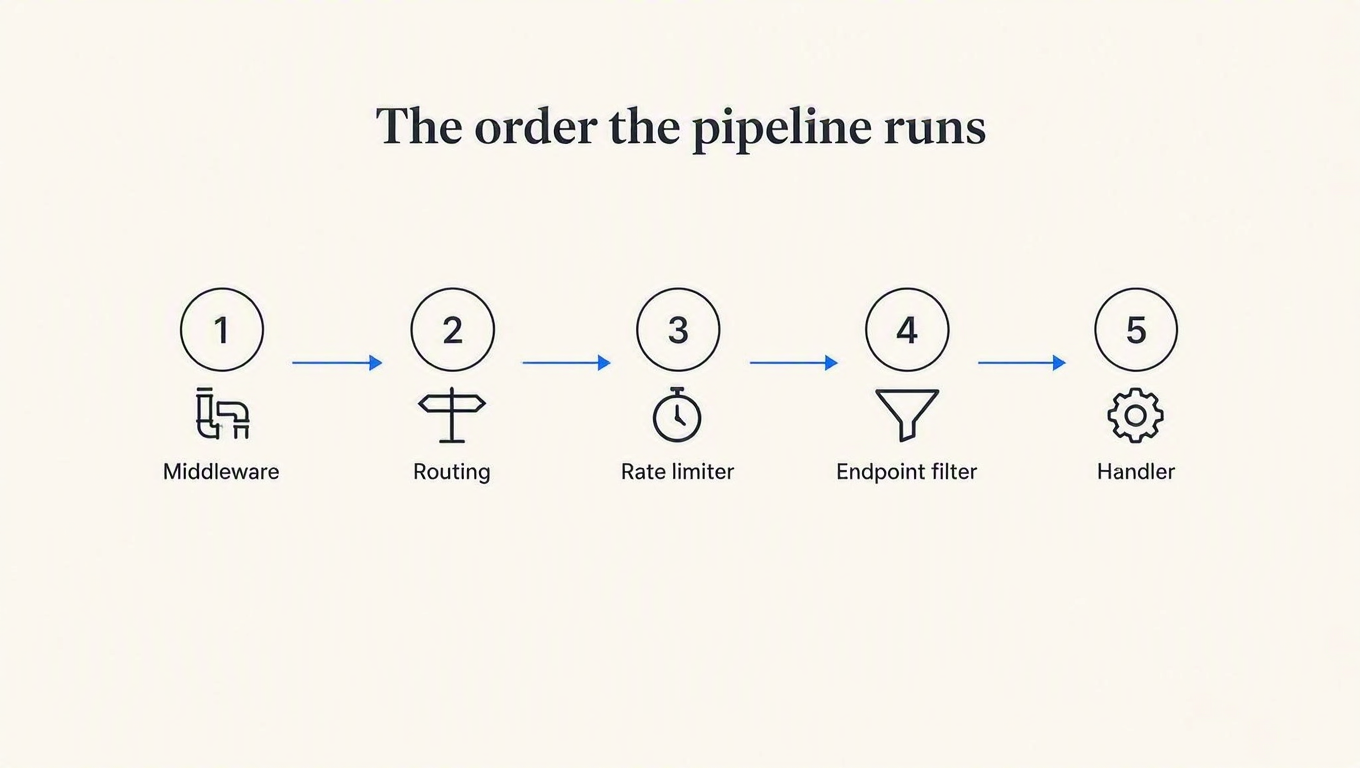
"Use middleware" is only half an instruction. The other half is where, and the dividing line is UseRouting().
I put an identical inspector on both sides of it, logging what HttpContext.GetEndpoint() returned and whether it could see [AllowAnonymous] on the selected endpoint. Then I sent four requests: one to a guarded route, one to a route marked .AllowAnonymous(), one to /counters, and one to a path that does not exist.
{
  "before-routing:endpoint=null": 4,
  "before-routing-anon:cannot-see-AllowAnonymous": 4,

  "after-routing:endpoint=HTTP: GET /minimal/ping-ef": 1,
  "after-routing:endpoint=HTTP: GET /public/health": 1,
  "after-routing:endpoint=HTTP: GET /counters": 1,
  "after-routing:endpoint=null": 1,
  "after-routing-anon:sees-AllowAnonymous": 1,
  "after-routing-anon:cannot-see-AllowAnonymous": 3
}
Before UseRouting(), the endpoint is null on every single request. Not sometimes. Every one. Three consequences follow, and they are all the same consequence wearing different clothes:
- You cannot honour
[AllowAnonymous]or.AllowAnonymous(). The metadata exists on an endpoint that has not been selected yet, so your middleware is reduced to matching path strings by hand. Every public route becomes a string in a list that somebody has to remember to update. - You have no route template. After routing you get
GET /minimal/ping-ef. Before it, you have the raw path. If you are labelling usage analytics with what the middleware saw, that is the difference between one series per route and one series per customer ID that ever appeared in a URL segment. - You cannot vary the credit cost per endpoint, for the same reason: you do not yet know which endpoint this is.
Note the fourth line in the "after" block: after-routing:endpoint=null fired once, for the request to a path that does not exist. Routing ran, matched nothing, and set no endpoint. That is worth knowing before you write if (endpoint is null) return next(); as your skip rule, because that line means "anything the router did not match sails straight past your auth check." Whether that matters depends on what else is downstream, but it should be a decision rather than an accident. Nest, Laravel and Axum all have their own version of this gap, and it is the same gap every time.
The practical rule: put the key check after UseRouting(). Both the metadata and the route template are available there, and it costs you nothing.
Your rate limiter is partitioning on a user that does not exist yet
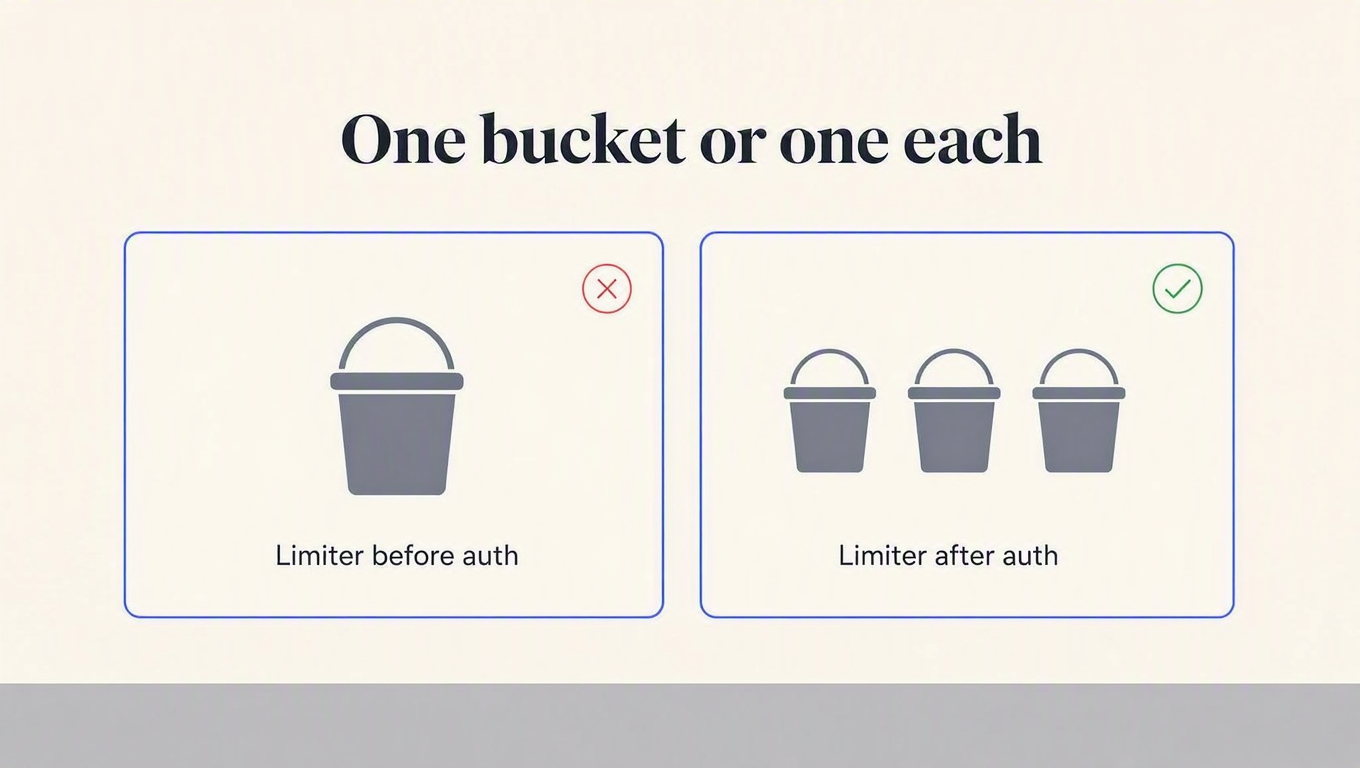
ASP.NET Core has had a built-in rate limiter since .NET 7, and it differs from every other framework I have probed in one important way: you supply the partition key. There is no IP default to inherit. That sounds safer. It is not.
Here is the partition every tutorial writes, with a deliberately tiny limit so the effect is visible:
builder.Services.AddRateLimiter(options =>
{
    options.RejectionStatusCode = 429;
    options.GlobalLimiter = PartitionedRateLimiter.Create<HttpContext, string>(ctx =>
    {
        var who = ctx.User.Identity?.Name ?? "anonymous";
        return RateLimitPartition.GetFixedWindowLimiter(who, _ =>
            new FixedWindowRateLimiterOptions
            {
                PermitLimit = 3,
                Window = TimeSpan.FromMinutes(1),
                QueueLimit = 0
            });
    });
});
The auth middleware sets ctx.User from the API key. The only variable is which of the two lines comes first.
// Arrangement A
app.UseRateLimiter();
app.UseMiddleware<KeyAuthMiddleware>();

// Arrangement B
app.UseMiddleware<KeyAuthMiddleware>();
app.UseRateLimiter();
Consumer alpha sends three requests. Then consumer bravo, a completely different paying customer, sends their first request of the day.
| Request | A: limiter before auth | B: limiter after auth |
|---|---|---|
| alpha #1 | 200 | 200 |
| alpha #2 | 200 | 200 |
| alpha #3 | 200 | 200 |
| bravo #1 | 429 | 200 |
| Partition keys observed | anonymous only | consumer-alpha, consumer-bravo |
| Times auth middleware ran | 3 | 4 |
In arrangement A, bravo's first request ever returned 429. They had spent none of their own quota, because they do not have any. Every request in the application resolved to a single partition named anonymous, because ctx.User is an empty ClaimsPrincipal until something populates it, and the limiter ran before anything did.
Look at the last row too. Auth ran three times for four requests, because the limiter rejected bravo before auth ever saw the request. Your logs will show a 429 with no consumer attached to it, which is a genuinely miserable thing to debug at 2 AM.
This is the sixth framework I have run this probe against, and ASP.NET Core's failure is the widest of the set. Express, DRF, Laravel and NestJS all bucket on a network address by default, which is the wrong identifier but is still some discrimination between callers. A collapsed anonymous partition is a single global bucket for your entire customer base, and it looks completely correct in code review. The fix is one line of ordering, not a configuration change. We wrote up the cross-framework version of this in rate limit by API key, not IP.
What if I want to limit unauthenticated traffic too?
Then you want two limiters, not one. A coarse limiter before auth protects the infrastructure from a flood of garbage keys, and a per-consumer limiter after auth enforces the plan you actually sold. They answer different questions and they belong at different points in the pipeline. Just never bucket on the raw header value, or an attacker mints a fresh bucket with every random string they invent.
Where to meter, and the one thing ASP.NET Core gets right for free
Billing is not enforcement, and the layer you enforce at is usually the wrong layer to bill at. The question is whether your counter runs for requests the framework itself rejects.
I put a counter in an endpoint filter on a POST endpoint that binds a typed body, then sent one malformed request and one valid one.
$ curl -s -o /dev/null -w "%{http_code}\n" -X POST \
    -H 'Content-Type: application/json' -d '{"sku": ' \
    localhost:5205/minimal/orders
400
$ curl -s -o /dev/null -w "%{http_code}\n" -X POST \
    -H 'Content-Type: application/json' -d '{"sku":"A1","quantity":2}' \
    localhost:5205/minimal/orders
200
{ "meter-filter-ran": 1, "handler:minimal/orders": 1 }One run, not two. Endpoint filters execute after parameter binding, so a meter placed there does not bill for requests that never became work. The 400 cost the customer nothing.
Credit where it is due, because this is the opposite of what I found elsewhere. In Fastify, a counter in an onRequest hook bills before JSON schema validation runs, so a malformed body costs the caller a credit. In NestJS, guards run before pipes, so a counter in a guard bills for requests a ValidationPipe then rejects with a 400. ASP.NET Core's endpoint filter sits on the correct side of that line without you having to know it does.
The caveat is that this only holds for the filter. A counter in middleware runs before binding, before routing if you put it there, and before everything. If you meter in middleware, meter on the way out, once you know what the response was. Our post on billing before you know the request worked is the policy argument behind the same seam.
One more thing, since you will hit it: your 401s do not match
The MVC filter returning new UnauthorizedResult() and the endpoint filter returning Results.Unauthorized() both produce a 401. They do not produce the same 401. MVC gives you a ProblemDetails JSON body. The Minimal API version gives you Content-Length: 0 and an empty response.
HTTP/1.1 401 Unauthorized
Content-Length: 0
Server: Kestrel
Neither sends a WWW-Authenticate header, which RFC 9110 says a 401 must carry. Nobody's client library will explode over it, but if you have a mixed controller-and-minimal codebase you are shipping two different error contracts from one API, and your customers will write two different error handlers. Pick a shape and enforce it. We keep a full status table in the docs if you want a reference to copy.
What the snippet still is not
Everything above is about where the check runs. The check itself, in all these tutorials including the code in this post, is a dictionary lookup on a plaintext key. That is genuinely fine for a probe. It is four things short of production:
- Storage. Keys in
appsettings.jsonmeans a deploy to add a customer and a key in your source history forever. Store a fast hash with an indexed prefix, and skip the password KDF: we measured why bcrypt is the wrong tool for this, and the short version is that a per-call random salt makes indexed lookup impossible. - Revocation. A leaked key needs to stop working in seconds, without a deploy. A static dictionary has no answer to this at all.
- Identity. A boolean "is this key valid" throws away the only interesting fact, which is who is calling. That is the fact your rate limiter partition needed two sections ago.
- Quota. Valid is not the same as entitled. A key can be perfectly real and out of credits, and that is a 402, not a 401.
You can build all four. It is a two-day project that ships in six weeks, and then you own it. Or you move the check to a service that already does it.
The same thing with ReqKey
ReqKey ships a first-party .NET SDK, published on NuGet on 23 July 2026 and targeting .NET 8, so it runs on everything from 8 through 10. It is middleware, which by the table above is the option that covers controllers and Minimal APIs in one registration.
dotnet add package ReqKey.AspNetCoreusing ReqKey.AspNetCore;
var builder = WebApplication.CreateBuilder(args);
builder.Services.AddReqKey(options =>
{
options.ProjectKey = builder.Configuration["REQKEY_PROJECT_KEY"]
?? throw new InvalidOperationException("Set REQKEY_PROJECT_KEY.");
options.ApiId = "api_payments";
options.ExcludePaths = ["/health"];
});
var app = builder.Build();
app.UseRouting();
app.UseReqKey(); // after UseRouting, for every reason in this post
app.MapGet("/health", () => new { ok = true }).SkipReqKey();
app.MapPost("/payments", (HttpContext ctx) => Results.Ok(new { charged = true }))
.RequireReqKey(credits: 5);
app.Run();Controllers get [ReqKey(...)] and [SkipReqKey] attributes that do the same job. The defaults are X-API-Key for the header name, one credit per request, and fail-closed on an outage, all of which you can change through ReqKeyAspNetCoreOptions. The .NET SDK docs have the full option list.
Underneath, the middleware is calling the same public endpoint you could call yourself:
curl -X POST "https://api.reqkey.com/key/validate" \
  -H "Authorization: Bearer reqkey_xxx" \
  -H "Content-Type: application/json" \
-d '{"key":"acme_live_alpha","credits":1}'{"valid":true,"requestId":"req_...","creditsRemaining":4999,"creditsLimit":5000}Credits live on the consumer rather than the key, so a customer with five keys draws from one pool, and rotating a key does not reset anyone's balance. A consumer can also carry its own rateLimit of N validations per window, which is the per-customer partition from the rate limiter section, except the identity is resolved before the limit is applied because that is the only order that works. Exhausted credits return 402 and an exceeded consumer limit returns 429, so the two failure modes stay distinguishable in your logs.
Where this costs you
Honestly: it is a network hop. A local dictionary lookup is nanoseconds and a validation call is not, so if your endpoint's own work is measured in microseconds, budget for that or keep the check in-process. And in the SDK's default Both mode, one customer request costs two ReqKey requests, one validation plus one analytics event. That matters for arithmetic on the pricing page, where the free tier is 100,000 requests a month and a request is defined as one key validation or one logged call. Read that as 50,000 fully-instrumented customer requests, not 100,000.
Key takeaways
- An MVC filter attribute on a Minimal API endpoint does nothing, and nothing warns you. Verified on .NET 10: the same attribute returned 401 on a controller and 200 with the payload on a Minimal API route. If your project came from a modern template, it has no controllers, so check what your guard actually runs on before you trust it.
- Put the key check after
UseRouting(). Before it,GetEndpoint()is null on every request, so you cannot honourAllowAnonymous, cannot read the route template, and cannot vary cost per endpoint. There is no upside to being earlier. - Register the rate limiter after authentication, not before. A partition keyed on
ctx.User.Identity?.Namecollapses to one globalanonymousbucket if the limiter runs first, and the receipt is a brand-new customer getting a 429 on their first request. - Meter in an endpoint filter, not in middleware. Endpoint filters run after parameter binding, so malformed requests do not bill. Middleware runs before everything, so if you meter there, do it on the response path.
- Write one test that asserts 401 for every route from a list you maintain by hand, not from the router. A router-derived list cannot catch the case where the guard silently does not apply, because the route is still there and still registered.
That last one would have caught the Minimal API bug in about four seconds, which is the most annoying part of this whole exercise.
If you would rather not hand-roll storage, revocation, identity and quota, the ReqKey .NET SDK is two lines in Program.cs and the free tier is enough to run this probe properly against real keys, including the 402 and 429 paths that are annoying to simulate locally. Point it at a scratch project first and see what your own pipeline order does.